THE IMAGE STUDY / JPEG XL
Lossy vs lossless.
Look a little closer.
“Same picture” can mean the same appearance, the same pixels, or the same original file. Those are three different promises.
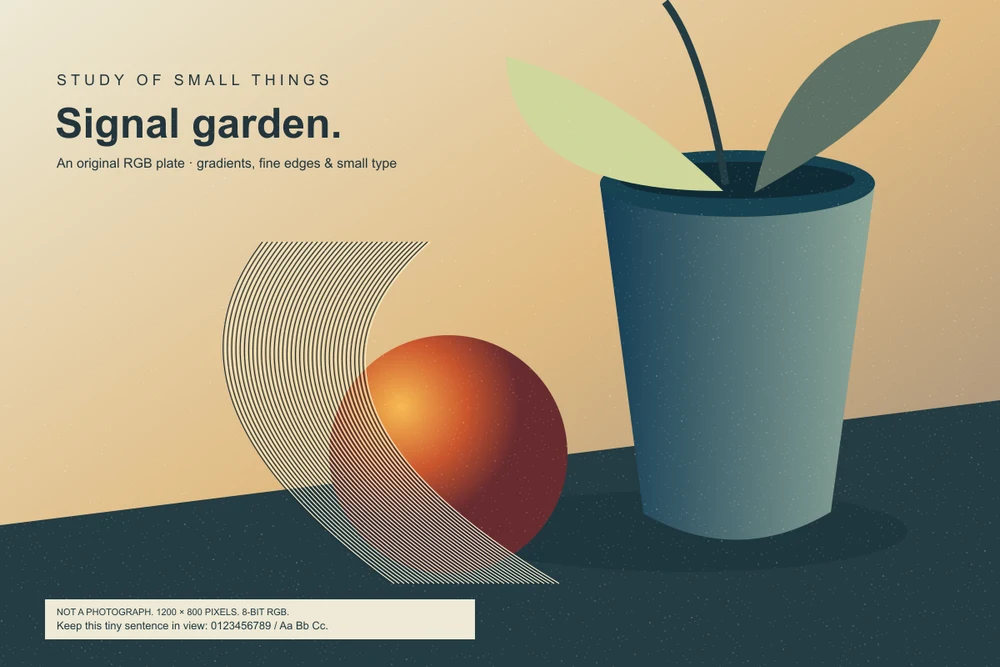
B / Follow the fine edges.
These close-set curves put alternating light and dark pixels next to each other. Look at the line edges and the faint grain between them.


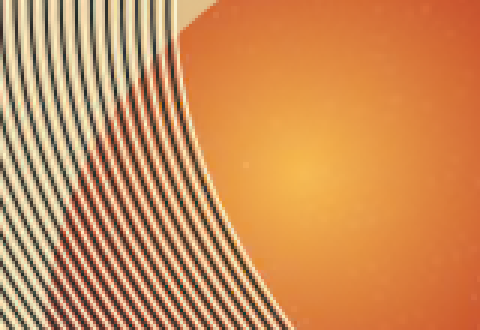
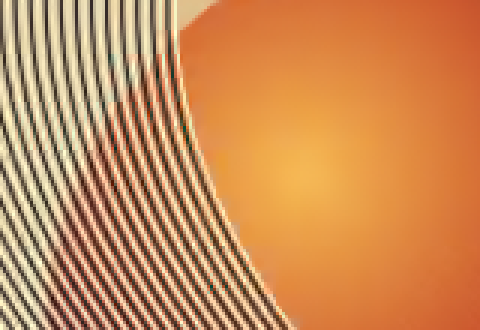
All four PNG crop files show the same coordinates, enlarged 3× with nearest-neighbour scaling; their displayed size fits your screen. They are PNG images decoded by libjxl 0.12.0, so this comparison also works in browsers that cannot display JXL. It does not test native JXL support, HDR or progressive loading.
What the pixels can tell you.
The original and the lossless crop should look identical. In this experiment, they also are identical at the decoded RGB sample level: all 2,880,000 channel values match. That is a stronger statement than “I cannot see a difference.”
The two lossy versions trade exact values for a smaller file. Distance 1 is the encoder’s default perceptual target for a PNG input; the tool describes it as visually lossless. That name does not guarantee that every image, display, viewing size or observer will conceal every change. Distance 4 deliberately allows more distortion so that the trade is easier to examine.
Fine type, hard edges and added grain make this particular illustration a demanding artificial subject. It is not a photograph and cannot establish an average saving for a photo library. A smooth portrait, a noisy night scene and a transparent logo could behave differently.
The smaller file is not always the right master.
If you need exact RGB values for later editing, choose a pixel-lossless path and verify the decoded result. If the file is a viewing copy, compare it at the real display size as well as at a magnified detail. A large numerical difference in a tiny edge does not automatically make a picture unusable; a low average difference does not guarantee that small text stays acceptable.
Here, the source PNG is 296,370 bytes. Lossless JXL is 251,953 bytes, distance 1 is 93,706 bytes and distance 4 is 41,411 bytes. These are sizes for this image, this encoder version and effort 7. They are not a universal format ranking, download-speed prediction or promise of better quality than AVIF or WebP.
Also notice what was not preserved: the lossless decoded PNG has different file bytes from the source PNG. Its pixels match, but its container and compression are different. “Lossless image” and “identical file” are separate claims.
Start with an existing JPEG, and JPEG XL can preserve the information needed to reconstruct that JPEG file.
Follow the original bytes →Why examine this now?
On October 6, 2026, Chrome announced JPEG XL decoding from version 155. Mozilla’s Firefox 158 notes document its default image support and Accept-header change. The format is older than these releases. Wider browser availability creates a practical publishing question; it does not make every encoding lossless or remove the need for a fallback. See the publishing example.